In short: do not start by shopping for cameras. Start by deciding what you want to protect, from whom, and who will act when something happens. Then divide the yacht into zones, choose the detection method that suits each zone, and check that power, cabling, network and access rules work in real marine conditions. This article is a practical planning guide for owners, captains and managers who want to choose yacht surveillance, perimeter detection and access control systems without paying for features they will switch off after a month. For the wider picture of how the different layers of protection fit together, read our complete guide to yacht security systems.
In this article
- Step 1: Decide what you protect, and from whom
- Step 2: Divide the yacht into zones
- Step 3: Match the detection method to each zone
- Step 4: Plan how alerts will be verified
- Step 5: Choose the access control rules
- Step 6: Check power, cabling and integration
- Step 7: Plan connectivity and remote viewing
- Eight common mistakes
- Questions to ask an installer
- When to do the work
- Frequently asked questions
Step 1: Decide what you protect, and from whom
Two yachts of the same size can need very different systems. A boat that spends the winter in a shed needs different protection from one that sits in a busy marina all summer with guests on board. Before you talk to any supplier, write down four things.
- What is worth protecting. The tender and outboard, navigation electronics, artwork or personal belongings, the engines, the vessel itself, and the people on board.
- Who you worry about. An opportunist walking along the pontoon, someone with a copy of a key, a contractor with unsupervised access, or a deliberate and organised attempt. Each calls for a different response.
- When the risk is highest. At night in the marina, during a long absence, during a refit when panels are open and many people come and go.
- What the insurer expects. Some policies set conditions for alarms, storage or monitoring. It is much cheaper to find out before the purchase than after a claim.
This short exercise usually removes half of the options on the table.
Step 2: Divide the yacht into zones
A zone is an area with one purpose and one level of risk. Most yachts can be planned with five or six zones.
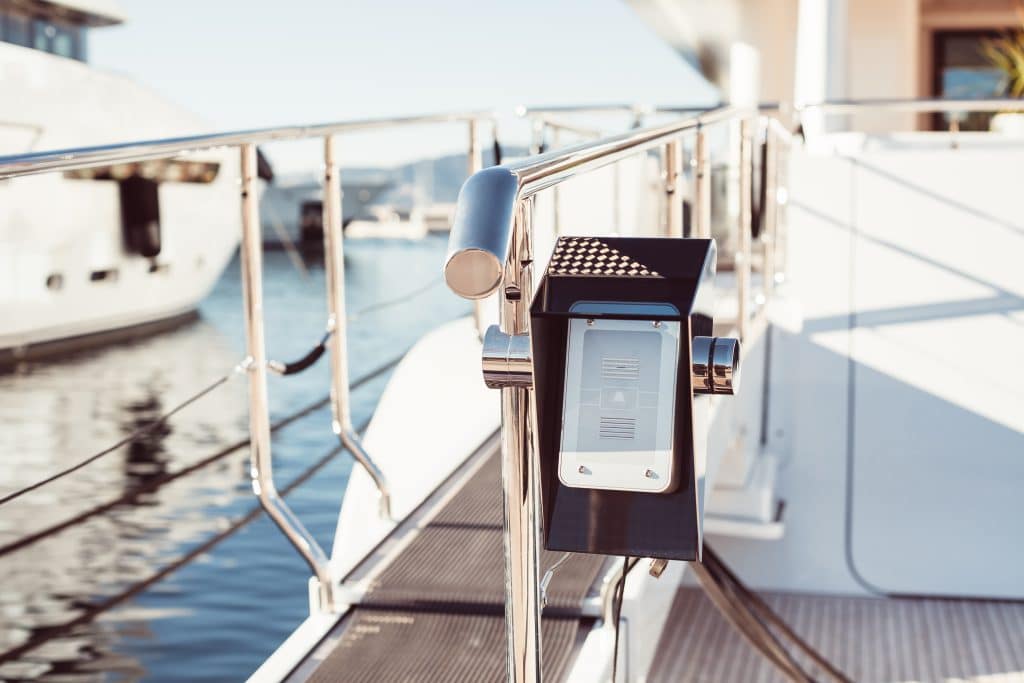
- The boarding area: passerelle, swim platform and any side door. This is where an intruder first touches the boat.
- The exterior decks: sundeck, flybridge, foredeck and walkways.
- Tender garage and storage: lazarettes, lockers and anywhere that holds equipment that can be carried off quickly.
- Living areas: salon, cabins, galley. These need protection from entry but also respect for the privacy of the people who use them.
- Technical spaces: engine room, battery and electrical compartments, steering gear. Here the main risks are fire, flooding and unauthorised access.
- The dock side and surroundings: the pontoon, the neighbouring boats and the water, as far as local privacy rules allow you to watch.
Step 3: Match the detection method to each zone
No technology is best everywhere. The table below shows what normally works in each zone and what to watch out for.
| Zone | What you want to detect | Technologies that usually fit | Watch out for |
|---|---|---|---|
| Boarding area | A person stepping on board | Infrared beam barrier, camera with analytics, video intercom, door contact | Spray, swell and neighbours crossing the beam |
| Exterior decks | Movement at night or at anchor | Thermal or low-light camera, radar for large yachts | Birds, flags, rain; sensitivity that cannot be adjusted |
| Tender garage and lockers | Opening and removal of equipment | Contact sensors, motion sensor, camera, lock with log | Humidity and temperature swings |
| Living areas | Entry and movement while empty | Door and hatch contacts, motion sensors, smoke detectors | Pets, moving curtains, privacy of crew and guests |
| Technical spaces | Water, heat, smoke, unauthorised entry | Bilge level sensors, temperature and smoke detection, camera, controlled lock | Heat and vibration shorten the life of cheap sensors |
| Dock side | People approaching the boat | Camera with analytics, lighting, geofence for the tender | Privacy rules for recording public areas |
Choosing between similar options
- Beam barrier or camera analytics for the boarding area? Beams give a very clear yes or no, analytics give a picture. Many yachts use both: the beam raises the alert and the camera shows who it is.
- Thermal or normal night camera? A thermal camera sees a person in total darkness and fog, which makes it excellent for detection. A good low-light camera gives more detail for identification. For a large yacht, use one for each job.
- Radar or optical? Radar is worth considering for larger vessels or boats left at anchor, where a wide area needs to be watched in any weather. For a boat in a marina, cameras and beams are usually enough.
Before accepting any design, ask for a demonstration at the real berth, in the real conditions of light, swell and passing traffic. This is the single best way to avoid a system that sounds all night.
Step 4: Plan how alerts will be verified
Detection tells you that something may be happening. Verification tells you whether it is. Plan this before you buy.
- Video verification: when a sensor triggers, the system shows a short clip or live image to the person who receives the alert. This alone removes most false alarms.
- Two-method rule: require two different sensors to agree, such as a beam and a camera, before the system calls anyone at night.
- A person who looks: decide who receives the alert (captain, owner, manager, a gardiennage company) and who goes to the boat if the video shows a real problem. An alert that nobody can check is just noise.
- An order of contact: write down who is called first, who is second, and what happens if nobody answers.
If your boat is often empty, the simplest verification is a person who visits regularly and can be sent to look. Our boat gardiennage service works like that: regular visits by our engineers and cleaners, a report with photos and videos after each one, and extra checks after storm warnings.
Step 5: Choose the access control rules
Access control systems for yachts are not only about locks. They are about rules that you can change quickly, without changing the hardware.
- Individual credentials (code, card or phone) for each crew member, so access can be withdrawn without affecting anyone else.
- Zone permissions: guests in living areas, crew also in service areas, only named people in the engine room and technical spaces.
- Temporary access for surveyors, technicians and cleaners that expires by itself.
- An access log that records who used which door and when.
- A mechanical override that works when the batteries are flat, kept by someone you trust.
- One administrator who creates and removes access, and a written procedure for when a crew member leaves.
When someone else looks after the boat, access control is also a question of trust and process. Whoever holds the keys should be clear about who may go on board. At PSB Marine we can hold your keys and coordinate access for surveyors, insurers and other contractors, so that there is one point of control.
Step 6: Check power, cabling and integration
Many security systems fail for reasons that have nothing to do with the brand: a weak power supply, a damp connector, a cable that was pinched during installation.
- Power: security equipment must keep working when the shore power drops. Ask for a backup battery or a dedicated supply, and check that the system warns you when it is running on backup.
- Marine-grade parts: sealed connectors, tinned copper cable and stainless fittings. Standard domestic equipment corrodes in months.
- Cable routes: plan them with the boat’s electrical system in mind, so that sensors do not pick up interference from the inverter, the radar or the navigation systems.
- Integration: alarms for intrusion, bilge water, power loss and temperature should reach the same panel or app, so that the person on watch has one place to look.
- Documentation: ask for a wiring diagram and a list of every sensor, with its position and what it does. It is invaluable for any later repair.
This is where good coordination between the installer and the yard pays off. PSB Marine engineers work on the electrical and electronic systems of yachts, and we can take care of the contractors who need access during the work, as we do on our yacht management projects.
Step 7: Plan connectivity and remote viewing
Remote viewing is useful, but it depends on how the yacht connects to the internet.
- Marina Wi-Fi is cheap but not reliable enough for security. It can be down, shared and slow.
- A 4G or 5G router with an external antenna is a good base in Mallorca waters and in port.
- Satellite is needed offshore, but its data is expensive. Configure cameras to send alerts and short clips, not constant video.
- Local recording must continue when the connection fails, and ideally be copied to a second place.
- Network security: keep security equipment on a separate network from guests and crew, change default passwords and use two-step verification for remote access.
Eight common mistakes
- Buying equipment before defining the zones. You end up with cameras in the wrong places and blind spots at the boarding area.
- Choosing by resolution alone. A 4K camera in the wrong position is worse than a simple one in the right position.
- Ignoring false alarms. If the system triggers every night, it will be disabled and you will have paid for nothing.
- Using domestic equipment. Salt air, humidity and vibration destroy ordinary cameras and connectors.
- Leaving default passwords. It is the easiest way into a yacht network.
- No plan for who responds. Alerts that arrive on one phone, which may be off, protect nothing.
- Sharing codes and copying keys. It destroys the point of any access control.
- Never testing. Sensors drift, batteries age and contacts corrode. Test at the start of each season and after every refit.
Questions to ask an installer
- Which zones will you cover and why, and where are the blind spots?
- How does the system behave when the boat moves at the berth or in swell?
- Can I see a demonstration at my berth?
- What happens during a power cut and when the internet is down?
- How are users, passwords and firmware managed after the installation?
- Who is responsible for maintenance, and how often are the sensors tested?
- Can I have the wiring diagram and the list of sensors in writing?
- What does my insurer need to see?
When to do the work
The best moment to install or upgrade security wiring is when the boat is already open: a winter lay-up or a yacht refit. Panels are off, cable trunking is accessible and the boat is not being used. If you plan to store the boat, our indoor winter storage keeps it in a closed, lit and ventilated shed with CCTV, fire prevention and restricted access, according to the details on that page, while the work is carried out. To discuss your plans, contact the PSB Marine team or request a quote.
Frequently asked questions
How do I choose a yacht surveillance system?
Start with the zones you want to watch and the risks you want to cover, then choose cameras and sensors for each zone. Check the power supply, the connection and who will watch the alerts before you decide on brands.
What is the best perimeter detection for a yacht?
It depends on the boat and the berth. Infrared beam barriers and camera analytics suit most yachts in a marina, while radar and thermal cameras make more sense for larger vessels or boats at anchor. Combining two methods reduces false alarms.
What should access control systems for yachts include?
Individual credentials, permissions by zone, temporary access for visitors and contractors, an access log and a mechanical override. Just as important is a clear procedure for adding and removing users.
How many cameras does a yacht need?
There is no standard number. Cover the boarding area, the tender garage and technical spaces first, then add the helm and the main salon entrance. A few well-placed cameras are worth more than many badly placed ones.
Can I install a security system myself?
Simple cameras and sensors can be fitted by an owner, but power, cabling and integration with the boat’s electrical system are better left to professionals. A bad installation causes false alarms, corrosion and, in the worst case, electrical faults.
When is the best time to upgrade yacht security?
During a winter lay-up or a refit, when the boat is out of use and panels and cable routes are accessible.
Next step
If you are planning a security upgrade, or want your yacht reviewed before the next season, talk to the PSB Marine team: info@psb-marine.com or 971 234 522. Our guide to yacht security systems explains each layer of protection in more depth.